


What is FlexxLink?
FlexxLink is a B2B-communication client built directly into Microsoft D365 Finance & SCM and AX 2012 R3, allowing for seamless integration of EDI and EAI communication into your business processes.
Together with advanced data validation, FlexxLink enables you to automate your existing sales and purchasing processes while keeping your master data in shape.

FlexxLink explained
A brief overview of the functions and features of FlexxLink for Dynamics 365 Finance & SCM and AX 2012 R3.
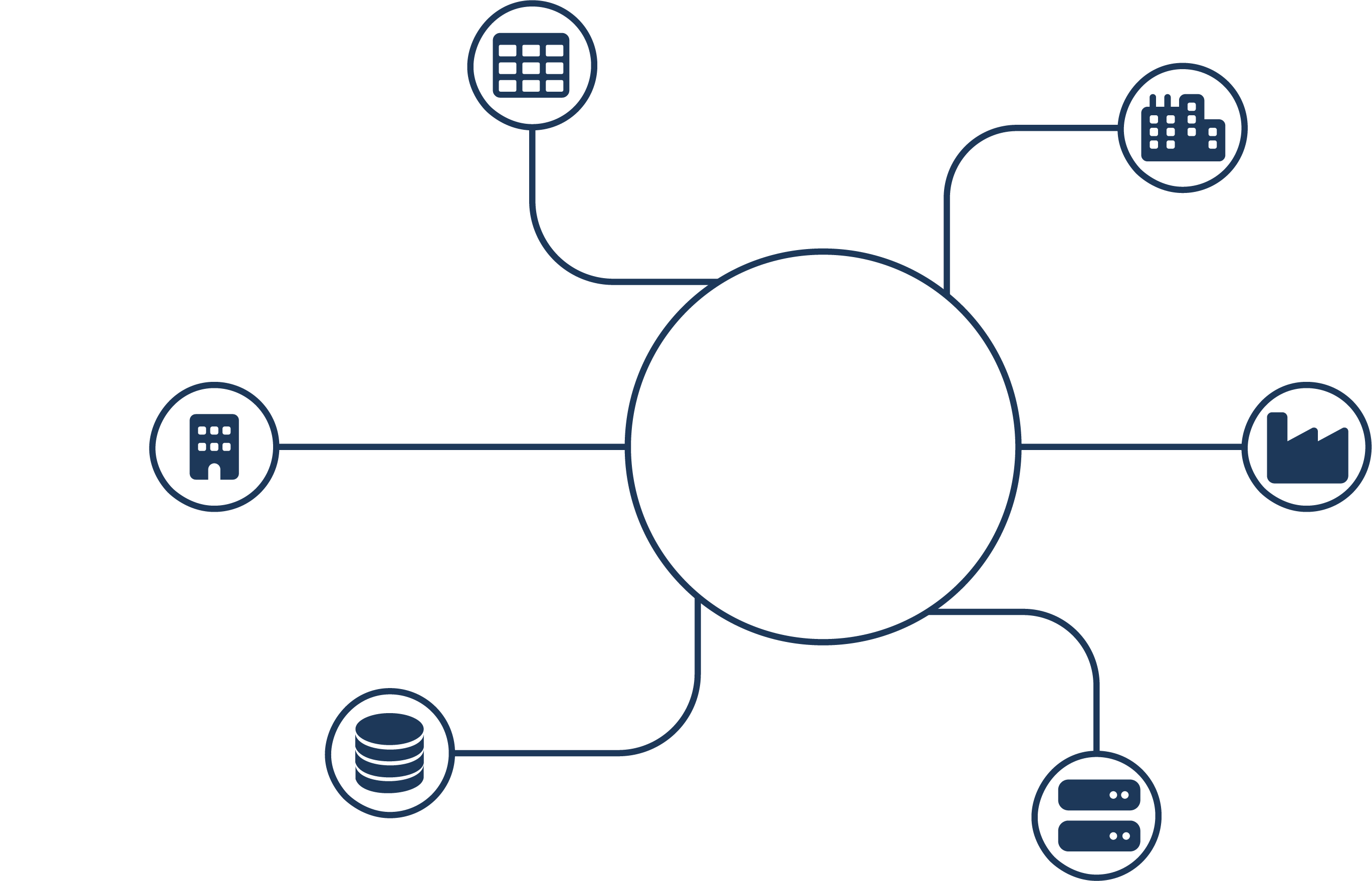
Connect your system to anyone and anything
With FlexxLink, you can manage all your inbound and outbound EDI communication from within Dynamics 365 Finance & SCM and AX 2012 R3.
At the same time, FlexxLink enables you to connect to a wide range of Enterprise Applications via a variety of interface technologies.
Automate your own processes
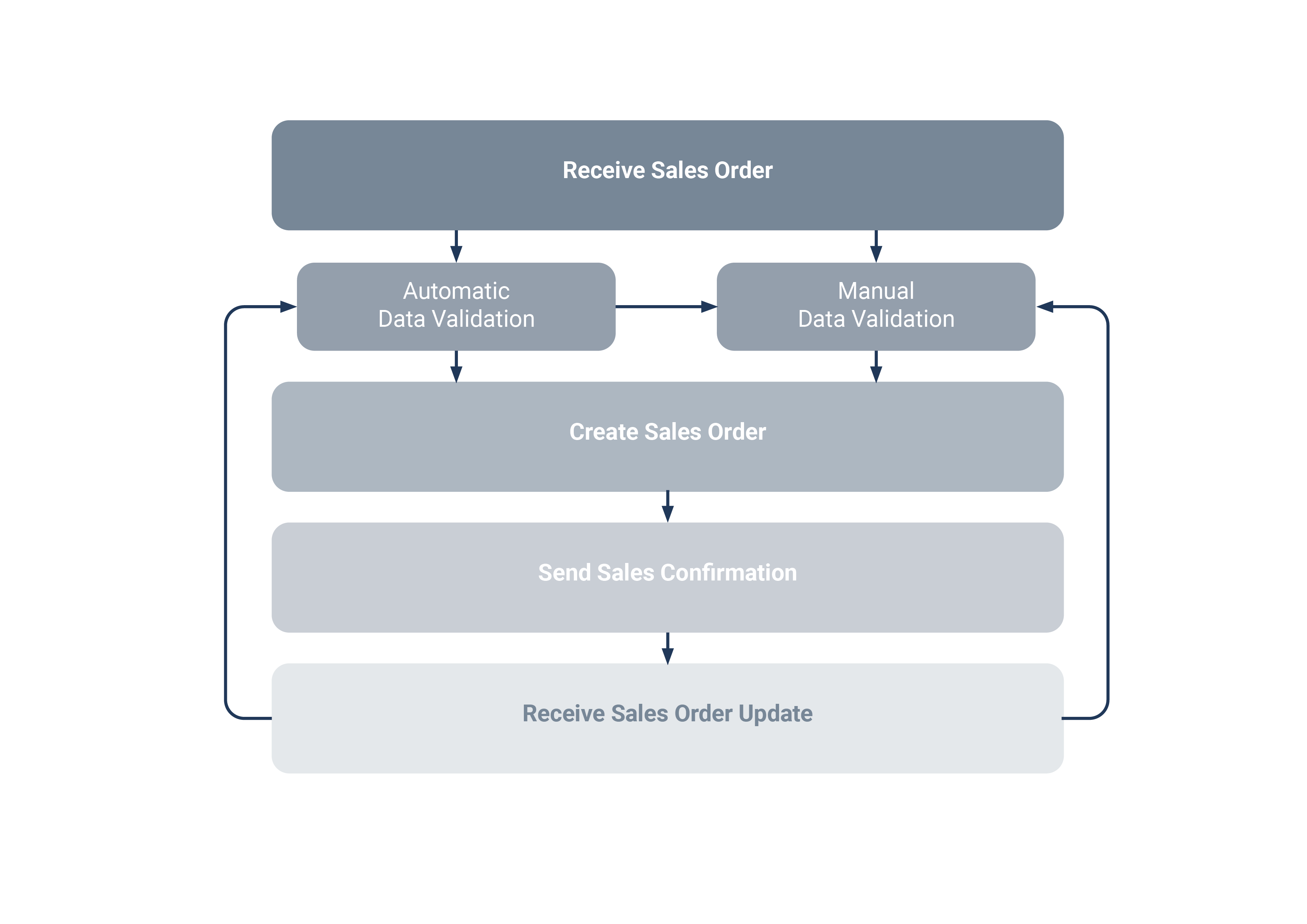
FlexxLink is built directly into your business processes rather than around them.
Combined with a complete integration of the D365 Finance & SCM and AX 2012 R3 business logic, your existing purchasing and sales processes and B2B-communication can easily be automated.
Improve your master data with every transaction
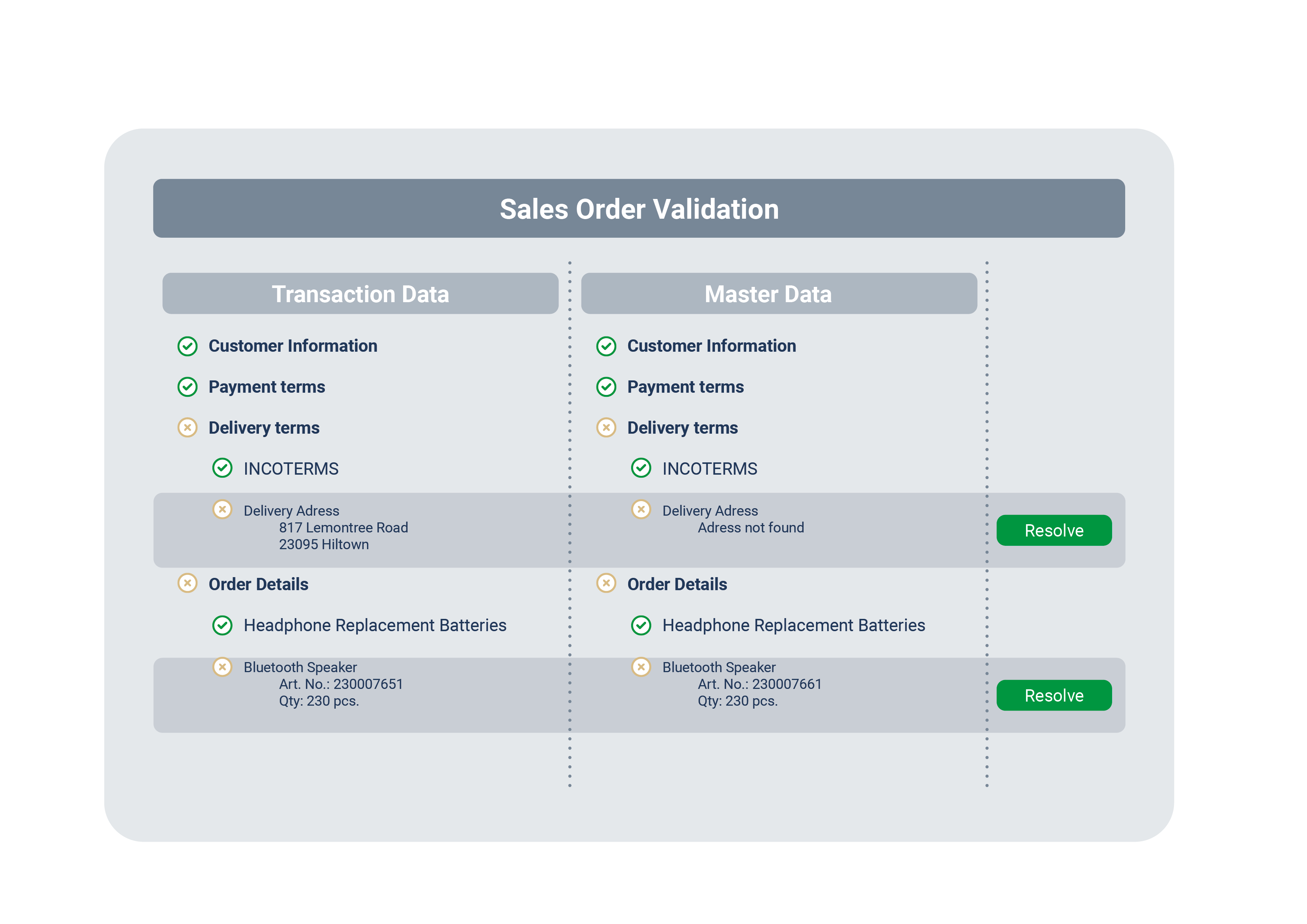
Using the FlexxLink Validation Framework, every single communication step is validated against your available master data.
Not only does this lead to error-free B2B-communication, but your master data is automatically being validated and improved every step of the way.
Benefit from user-friendly configuration
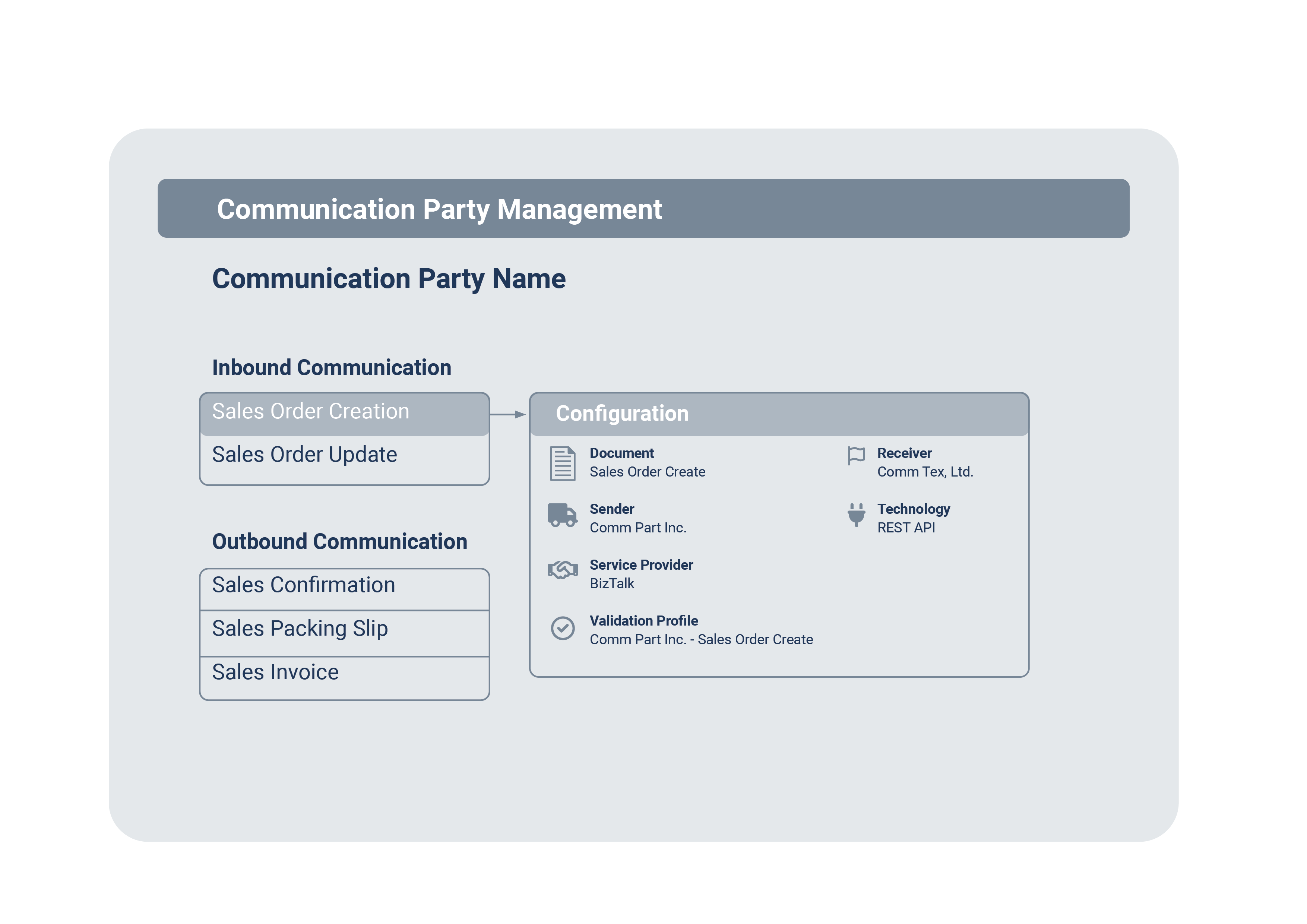
Communication partners and types can be set up directly within FlexxLink.
At the same time, the validation of data can both be configured on communication partner and communication type level – this allows for fine-tuning the level of process automation you wish to enable within your team.
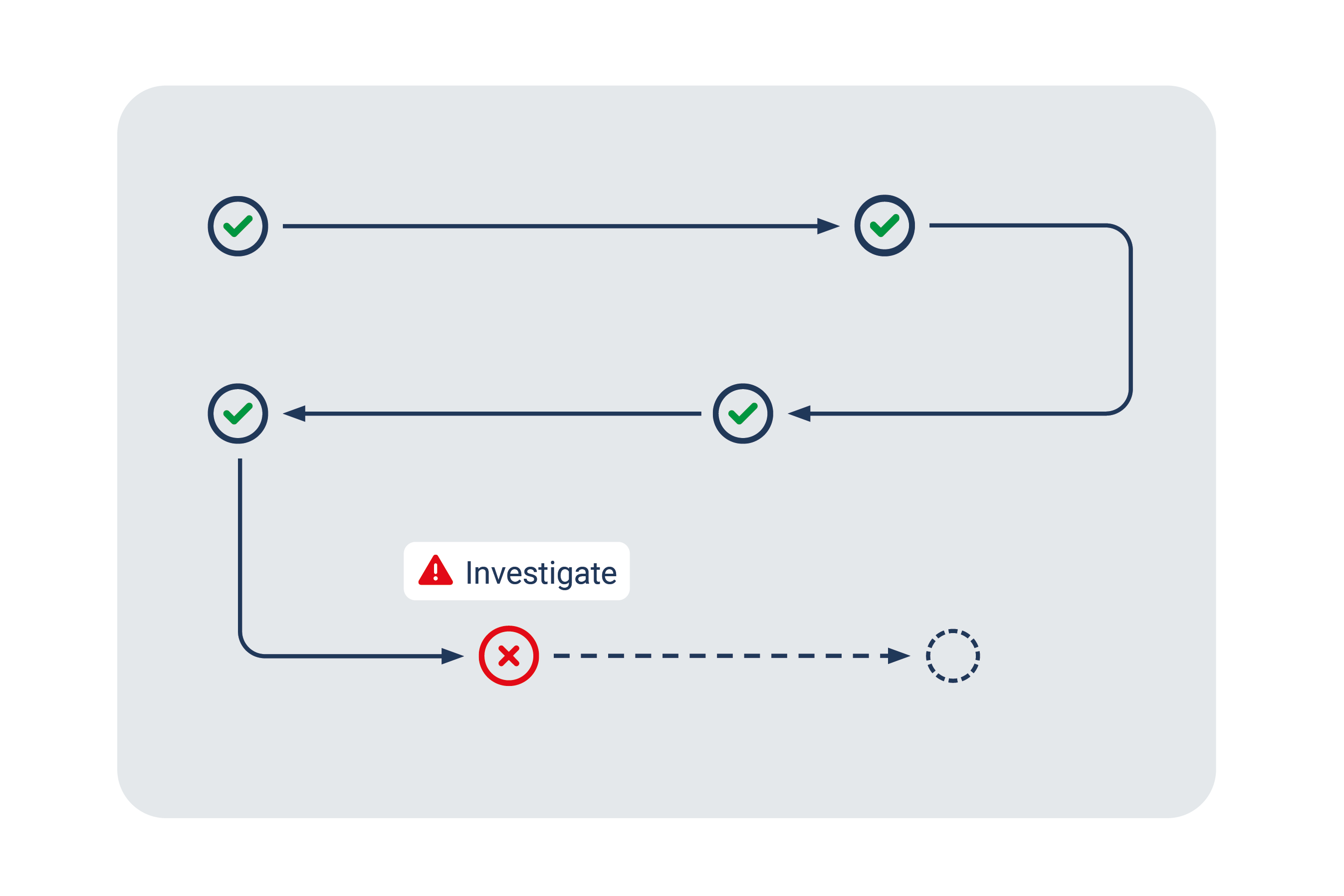
Ultimate transparency for your team
All inbound and outbound communication is being monitored by our FlexxLink Communication Monitor.
Supported by customizable alerting options, FlexxLink allows for holistic incident investigation and swift resolution of communication issues.
See what it looks like in Dynamics 365 Finance & SCM
Click through our interactive demos to see how FlexxLink is used in everyday-activities.
FlexxLink Add-On's
In addition to our powerful FlexxLink REST API, we are offering a range of add-ons.
Get started with FlexxLink in no time by benefitting from pre-built connectors.
Premium Add-On
SEEBURGER BIS
Benefit from instantly connecting your Dynamics 365 Finance & SCM to your SEEBURGER Business Integration Suite (BIS).
FlexxLink converts all incoming and outgoing communication to the standardized SEEXML format.
- No upfront cost for mapping communication between D365 and your SEEBURGER BIS
- Standardized mapping that is always up-to-date and compliant with SEEBURGER standards.
- Installation package, mappings and configuration components for SEEBURGER BIS
Premium Add-On
Lasernet Server
Combine FlexxLink and your Lasernet Server to convert B2B-communication to and from all established EDI formats.
Set up Point-to-Point EDI Communication yourself without relying on a service provider.
- Self-managed EDI communication powered by the functionality of an existing Lasernet Server
- Low-cost message transfer without the need for a third-party service provider
- Pre-built Forms and Configuration Modules for your own Lasernet Server
Get started with FlexxLink for Dynamics 365 today!
Take advantage of the deep integration of FlexxLink and Dynamics 365 - benefit from first-class EDI based on your own business processes!
Contact our team now to get an overview of all FlexxLink features!